My Devices
On the page My Devices, you can manage all devices that have been linked to your DeepUnity PACSonWEB account for two-factor authentication.
To reach this page, hover over the cogwheel  in the top toolbar and select User Settings from the drop-down list. Then click on My Devices on the left side of the page.
You will find a list of all your linked devices.
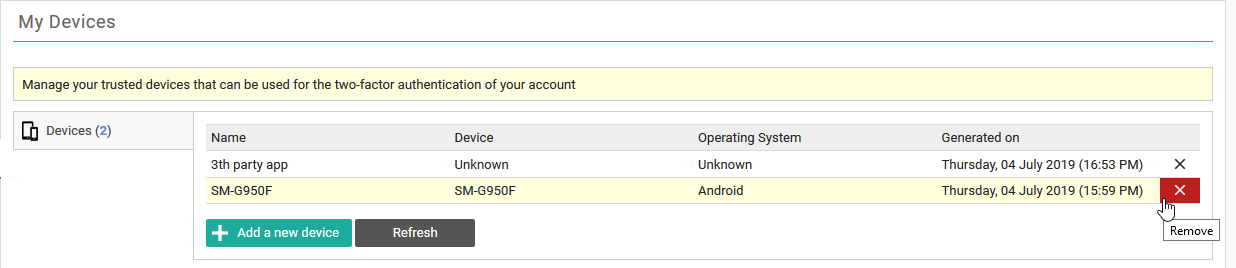
• You can link additional devices by clicking Add a new device.
Tip | |
 | You can link up to 5 devices simultaneously. |
• You can unlink a device by clicking X at the end of the respective entry.
If you are unlinking the last trusted device, your method for strong authentication will automatically be converted to One-time password by sms or, in case no mobile number is registered, to One-time password by e-mail.